


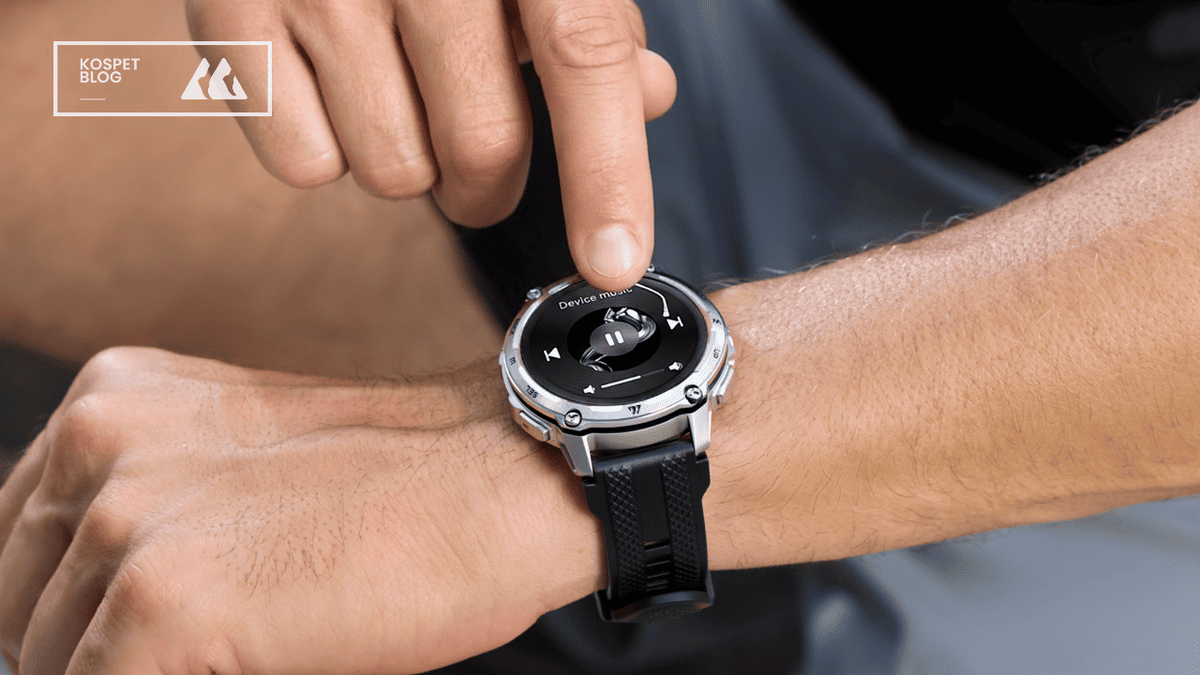
A running watch plays songs without a phone only when the music lives on the watch and the watch plays it to your earbuds. That means three things stay true at the same time: the watch has music storage, it supports offline playback, and it pairs to Bluetooth earbuds so the sound comes from your wrist, not your phone.
Many watches say “music”, but only act as a remote control for your phone. Plenty of “music features” let you pause, skip, or change volume on what your phone is playing. That still keeps the phone in your pocket or bag, so it does not match a phone-free run.
This guide shows a clear way to tell the difference before you buy. You will learn the two music types, how offline music gets onto a watch, what battery claims matter once GPS joins the mix, and what controls stay usable while you run.
If you also want to compare phone-free music with the other basics that matter on the move, start with our sports watch range.

Music Storage vs Music Control: The Difference That Decides Everything
Phone-free music starts with storage, not control. Music control means the phone plays the song and the watch sends commands. Music storage means the watch holds the files or saved tracks and the watch plays them itself.
Storage changes the whole running setup because it removes a device from the chain. With control, the audio link still depends on your phone staying nearby, staying connected, and staying powered. With storage, the watch becomes the player. The earbuds connect to the watch and the run stays phone-free in a real way.
The fastest way to spot “control-only” is the wording on the feature list. Look for phrases like “control phone music” or “music control” and treat them as phone-required. Look for phrases like “music storage”, “offline playback”, “sync tracks to the watch”, or “onboard storage” and treat those as phone-free signs.
Offline Music Playback: How Songs Get Onto the Watch
Offline playback works when songs move onto the watch ahead of time. After that, the watch plays the tracks directly and your phone stays at home.
Onboard Music Storage and Local Playback
Local playback is the simplest phone-free method because the watch stores the tracks and plays them like a tiny music player. The key proof is a real storage number and a clear statement that tracks sync to the watch for offline playback.
Storage size matters because it sets a hard limit on how much music fits. Some brands translate this into an estimated song count. One example claim is that 32GB can cover around 5,000 songs with the usual “it depends on file size” disclaimer. That kind of claim helps you judge whether the watch is built for offline music, not just music control.
App Sync for Offline Playback
App sync is still offline music, but the phone is used only during setup. The phone helps you select tracks and copy them across. After sync, the watch plays the music without needing the phone nearby.
This method is reliable when the brand clearly explains the flow. The best wording is direct: add tracks in the companion app, sync to the watch storage, then enjoy offline playback without your phone. When a product page states the steps this clearly, it gives you something solid to verify later in the settings.
Example Verification — KOSPET Tank T4

KOSPET Tank T4 syncs music by using the Apexmove app to copy tracks from your phone into the watch’s own 32GB storage for offline playback.
Here is the practical sync flow for the T4:
Charge the watch, install Apexmove on your phone, then pair “KOSPET Tank T4” inside the app and confirm the pairing on both devices.
In Apexmove, open the T4’s music feature and choose the option to add music. KOSPET describes this as “add your favourite tracks in the Apexmove app”.
Select the tracks on your phone, then start the sync. The app transfers those files into the watch’s storage. KOSPET describes this as “sync them straight to your TANK T4’s 32GB storage” for offline playback.
After syncing, music playback comes from the watch’s local storage rather than the phone. KOSPET also notes that actual available storage can be lower than 32GB because of system software, and music capacity varies with file format and quality.

Battery Life With Music: What Changes When You Add GPS
Running watch with music uses battery, and GPS adds another steady drain on top. The important thing is not guessing a number. The important thing is reading the brand’s “GPS hours” claim and comparing it with how long your runs usually last.
GPS battery claims matter more than day-to-day claims for runners. A watch can last many days as a normal smartwatch, yet still have a much smaller number for continuous GPS tracking. One example spec states up to 21–22 hours of continuous tracking for GPS-heavy use. That kind of number is the one that protects long runs, long hikes, and long races.
Music tightens the battery budget because audio playback stays active the whole time. Playback keeps Bluetooth audio running and keeps the watch doing extra work. That does not mean music becomes useless. It means GPS time becomes the baseline and music becomes an extra load you plan around.
The practical way to plan is to match the watch to your longest regular session. A watch that comfortably covers your longest run leaves space for music, navigation checks, and a brighter screen. A watch that barely covers the time creates stress and forces compromises mid-run.
Also Read: Does a Long Battery Life Smartwatch Depend on How You Use It?
Running Controls That Don’t Ruin Your Pace
Music is only helpful during a run when the controls stay simple and repeatable. A watch can store thousands of songs, yet still frustrate you when pausing, skipping, or changing volume takes too many taps.
Buttons reduce mistakes because they give the same input every time. Touchscreens work well in calm moments. Running creates sweat, motion, and quick breathing. Simple physical controls avoid accidental taps and help you keep your eyes up and your pace steady.
Control design is easy to check before buying because it shows up in photos and manuals. Look at the side profile photos for button placement. Then look for a “music” screen in the watch interface or user guide. A clear music screen with clear actions signals that the brand expects you to use music during workouts, not only at a desk.
Choose by Running Scenario: Who Actually Needs Phone-Free Music
Phone-free music is most valuable when it removes friction, not when it adds setup work. The right choice depends on how you run and why you want music on your wrist.
Short runs and gym runs benefit most from offline music because the goal is light gear and quick start. A small playlist on the watch solves the “where do I put my phone” problem and keeps the run simple.
Long runs benefit when the watch also has strong GPS endurance. Music stays enjoyable on long sessions, but the run stays enjoyable only when the watch has enough tracking time to cover the whole effort. A clear “continuous GPS tracking” claim is the key guardrail here.
Navigation-heavy runs benefit when maps and music share the same storage plan. Offline maps take space. Music takes space. A watch designed for offline maps often highlights its total storage and explains how that storage supports both. That is a strong sign that the product is built for phone-free training, not just daily smartwatch use.
Conclusion
A running watch truly plays songs without a phone only when the watch plays the music from its own storage. That single point removes most confusion and stops expensive mistakes.
Clear product wording gives the fastest answer. “Offline playback”, “music storage”, and “sync tracks to the watch” point to phone-free music. “Music control” points to phone-required music.
FAQs
Does “music” on a watch always mean offline playback?
No. Many watches use “music” to mean music control for your phone. Offline playback requires music storage on the watch and a clear offline workflow.
What words on a product page show that a watch works without a phone?
Look for “music storage”, “offline playback”, and “sync tracks to the watch”. These phrases describe music living on the watch, not on the phone.
What battery spec matters most for runners who use GPS and music?
Continuous GPS tracking time matters most. It maps to long workouts and long events in a direct way. Daily “typical use” figures do not describe a full GPS session.


Leave a comment
This site is protected by hCaptcha and the hCaptcha Privacy Policy and Terms of Service apply.