


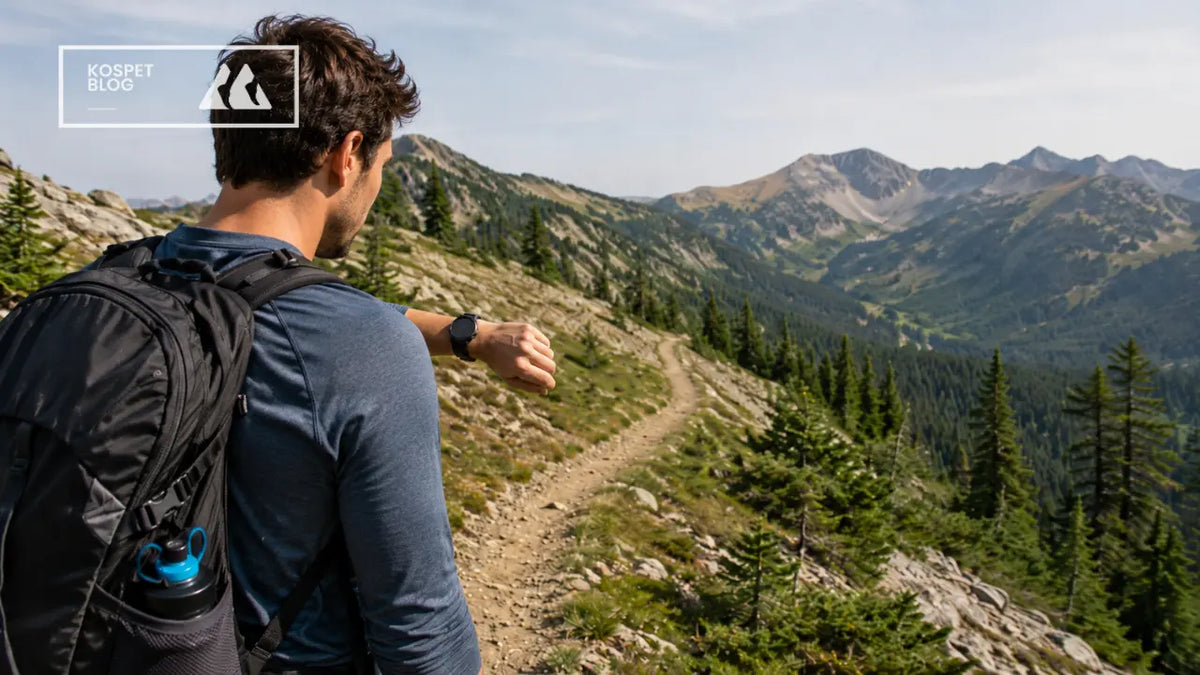
An outdoor smartwatch adds value for hiking because it turns GPS and trail data into faster trail decisions. Your phone may already have GPS. A satellite device may already cover emergency backup. But a hiking smartwatch puts the right small answers on your wrist: distance, time, elevation, route progress, pace, heart rate, and battery status.
The value is not that it replaces your phone. The value is that it lowers the effort of using trail information. On a long hike, small checks happen all day. A watch makes those checks faster, lighter, and less distracting.
| Device | Best Role on a Hike |
|---|---|
| Phone | Full map, photos, messages, route planning |
| GPS / satellite device | SOS, off-grid location, emergency backup |
| Outdoor smartwatch | Wrist GPS, quick checks, trail decisions |
| Map / compass | Non-battery backup |
The National Park Service lists navigation as one of the Ten Essentials. REI also explains that outdoor navigation can include a map, compass, altimeter watch, GPS device, and personal locator beacon. This matters because hiking navigation is not one device doing everything. It is several tools doing different jobs.
Why GPS Still Matters on a Hiking Smartwatch
GPS still matters because hiking is not only about knowing where you are. It is also about knowing where you have been, how far you have gone, and whether your route still matches the plan.
On a forest trail, the problem is not always being fully lost. The more common problem is small doubt. The path looks right, but the turn feels late. The trail bends more than expected. The climb takes longer than the map suggested. Wrist GPS helps you catch that doubt earlier.
| GPS Value | Why It Matters on the Trail |
|---|---|
| Route track | Shows where you actually walked |
| Distance | Helps measure real trail progress |
| Moving time | Shows whether the hike is taking longer than planned |
| GPS trace | Helps notice route drift or wrong turns |
| Post-hike log | Helps review pace, route, and effort later |
GPS accuracy can change with local conditions. GPS.gov explains that user accuracy depends on satellite geometry, signal blockage, atmospheric conditions, and receiver design. This is why a hiking watch should not just “have GPS.” It should provide stable tracking that helps you read the trail over time.
A phone can also do GPS. The difference is that a watch makes GPS easier to check while moving. That is the first layer of value.
Why Phone GPS Is Useful but Not Always Easy
Phone GPS is powerful, but it asks for too much attention during small trail checks. A phone is still the better tool for full maps, large route views, photos, and messages. The problem starts when the phone becomes the tool for every quick question.
A normal phone check on the trail often looks like this:
- Stop walking
- Pull out the phone
- Unlock the screen
- Open the hiking app
- Wait for the map or GPS position
- Zoom in
- Check the route
- Put the phone away
- Find your walking rhythm again
This is not hard once. It becomes tiring after many checks.
| Trail Situation | Why Phone GPS Becomes Less Easy |
|---|---|
| Strong sun | Screen can be hard to read |
| Rain or sweat | Touchscreen becomes less reliable |
| Cold weather | Gloves make phone use slower |
| Steep climb | Stopping breaks your rhythm |
| Heavy backpack | Reaching the phone feels annoying |
| Poor signal | Battery can drain faster |
| Notifications | Focus moves away from the trail |
This is the hidden cost of phone GPS. I call it trail micro-friction. Each small action is simple, but the total cost grows across a long hike.
AllTrails suggests locking the phone when users do not need to view the Navigate screen and closing unused apps to reduce battery drain. That advice shows the same point: the phone is useful, but constant active use has a cost.
How Wrist GPS Reduces Trail Interruptions
Wrist GPS reduces trail interruptions because it gives short answers without forcing a full phone check. A watch is not better because it shows more. It is better because it shows enough, faster.
Most hiking checks are short-answer questions:
- How far have I gone?
- How long have I been moving?
- Is the next junction close?
- Am I still near the route?
- How much climbing have I done?
- Is my pace too fast?
- Is my heart rate staying too high?
- Is my battery still safe?
These questions do not always need a full map. They need quick awareness.
| Trail Question | Better on Wrist? | Why |
|---|---|---|
| How far have I gone? | Yes | Short answer, checked often |
| How long have I been moving? | Yes | Helps compare with the plan |
| Am I near the route? | Yes | Good for quick confidence |
| What is the full trail layout? | No | Phone screen is better |
| Should I change the route? | No | Needs deeper map reading |
| Is my pace too fast? | Yes | Useful while moving |
| Should I reply to messages? | No | Adds distraction |
Picture a muddy switchback. Your poles are in both hands. Your phone is under your rain shell. You only want to know whether the next junction is close. That is not a full-map moment. That is a wrist-check moment.
This is where an outdoor smartwatch becomes a trail decision layer. It does not replace your phone. It helps you decide whether you need to take the phone out at all.
How a Hiking Watch Helps Save Phone Battery
A hiking watch helps save phone battery by moving high-frequency small tasks away from the phone. This is more important than simply saying “the watch saves power.”
Your phone should be protected for bigger trail jobs:
- Full offline map reading
- Route replanning
- Photos and videos
- Messages
- Weather checks
- Emergency contact
- Transport or pickup after the hike
| High-Frequency Small Task | Better Tool |
|---|---|
| Check distance | Outdoor smartwatch |
| Check moving time | Outdoor smartwatch |
| Check elevation gain | Outdoor smartwatch |
| Check heart rate | Outdoor smartwatch |
| Check basic route progress | Outdoor smartwatch |
| Record GPS activity | Outdoor smartwatch |
| Low-Frequency High-Value Task | Better Tool |
|---|---|
| Study full map | Phone |
| Change route plan | Phone |
| Send detailed message | Phone |
| Take photos | Phone |
| Call or contact someone | Phone |
| Use emergency details | Phone / satellite device |
Phone battery matters most near the end of a hike. At 4 p.m., when the route is taking longer than planned, your phone becomes more important. You may need the full map, a message, a ride, or emergency contact. A watch helps protect that later phone value by taking over small checks earlier in the day.
What Trail Data Adds Beyond Navigation
Trail data adds value when it helps you make better decisions before small problems grow. A hiking smartwatch is not just a navigation tool. It is also a status tool for your route, time, body, and battery.
A map tells you the route. Trail data tells you how the route is affecting you.
| Trail Data | Surface Meaning | Real Hiking Decision |
|---|---|---|
| Distance | How far you walked | Are you on pace for the plan? |
| Moving time | How long you moved | Is daylight still enough? |
| Elevation gain | How much you climbed | Why does this section feel hard? |
| Pace | How fast you move | Should you slow down now? |
| Heart rate | Body effort | Are you pushing too hard early? |
| Battery status | Device runtime | Should you reduce screen or GPS use? |
| GPS track | Route record | Are you drifting from the plan? |
Many trail problems do not start as emergencies. They start as small mismatches.
- The climb feels harder than expected.
- The route takes longer than planned.
- Your pace drops, but you do not notice.
- Your phone battery falls faster than expected.
- The trail looks right, but your GPS track says otherwise.
A smartwatch does not make these problems disappear. It helps you notice them earlier.
This is the practical safety value. It is not a rescue promise. It is better awareness. The National Park Service describes the Ten Essentials as items that help with minor injuries, sudden weather changes, or unexpected delays. Trail data supports that same idea: it helps you adjust before the situation gets worse.
When an Outdoor Smartwatch Adds More Value
An outdoor smartwatch adds more value when it changes your hiking workflow. The key question is not “Does the watch have features?” The better question is: “Does it reduce stops, phone checks, battery stress, or late decisions?”

The watch adds more value in these situations:
- Long-distance hiking
- Thru-hike sections
- Backpacking trips
- Unfamiliar routes
- Trails with many turns
- Mountain routes with elevation gain
- Wet, cold, or dusty conditions
- Battery-sensitive hiking days
- Hikes where you check distance or route often
- Hikes where body pacing matters
The watch adds less value in these situations:
- Short local walks
- Familiar trails
- Clear routes with few turns
- Hikes where the phone is checked only once or twice
- Users who do not care about route records or body data
- Users who dislike charging another device
| Hiking Situation | Watch Is Mostly Redundant | Watch Adds Real Value |
|---|---|---|
| Short familiar trail | Phone is enough | Low value |
| One or two map checks | Phone is enough | Low value |
| Long route with many checks | Phone feels repetitive | High value |
| Unknown junctions | Phone handles deep map | Watch helps early awareness |
| Thru-hike / backpacking | Weight matters | Value depends on daily use |
| Battery-sensitive hike | Phone under pressure | High value |
| Already carrying satellite device | SOS may be covered | Watch still adds trail data |
A satellite device covers a different job. Garmin’s inReach Mini 2 SOS function is designed to contact Garmin Response during an emergency and notify responders. That is not the same job as showing distance, pace, elevation, heart rate, and route progress all day on your wrist.
How to Use Phone GPS and Smartwatch Together
The best hiking setup gives each device a clear job. One device does not need to do everything.
Use the phone as the deep map layer. It is best for full maps, route planning, photos, messages, and deeper navigation decisions.
Use a GPS or satellite device as the emergency backup layer. It is best for SOS, location sharing, and off-grid communication.
Use the outdoor smartwatch as the trail decision layer. It is best for wrist GPS, quick distance checks, moving time, elevation, pace, heart rate, battery status, and route progress.
| Device | Role | Best Use |
|---|---|---|
| Phone | Deep map layer | Full map, route planning, photos, communication |
| GPS / satellite device | Emergency backup layer | SOS, off-grid messaging, location sharing |
| Outdoor smartwatch | Trail decision layer | Wrist GPS, distance, elevation, pace, heart rate, battery |
| Map / compass | Non-battery backup | Route awareness when electronics fail |
At a confusing junction, the phone should come out. That is a deep-map moment. But for the 30 minutes before that junction, the watch can handle distance, time, direction, and route progress.
This is the strongest way to use hiking gadgets. The phone gives the big picture. The satellite device gives emergency backup. The outdoor smartwatch gives quick trail awareness.
Conclusion
An outdoor smartwatch adds value for hiking by turning GPS and trail data into faster trail decisions. It does not replace your phone or satellite device. Instead, it puts distance, time, elevation, pace, route progress, heart rate, and battery status on your wrist, so you can stay aware with fewer stops and less phone use.
FAQ
Is an outdoor smartwatch better than phone GPS for hiking?
Not always. A phone is better for full maps, route planning, and detailed navigation. An outdoor smartwatch is better for quick GPS checks, distance, time, elevation, pace, and route progress while moving.
Does an outdoor smartwatch replace a GPS or satellite device?
No. A satellite device is better for SOS, off-grid messaging, and emergency backup. An outdoor smartwatch is better for daily trail awareness, wrist GPS, route tracking, and body status during the hike.
Is an outdoor smartwatch worth it for short hikes?
For short and familiar trails, it may not be necessary. It becomes more useful on longer hikes, unfamiliar routes, backpacking trips, and days when phone battery, route checks, and pacing matter more.


Leave a comment
This site is protected by hCaptcha and the hCaptcha Privacy Policy and Terms of Service apply.